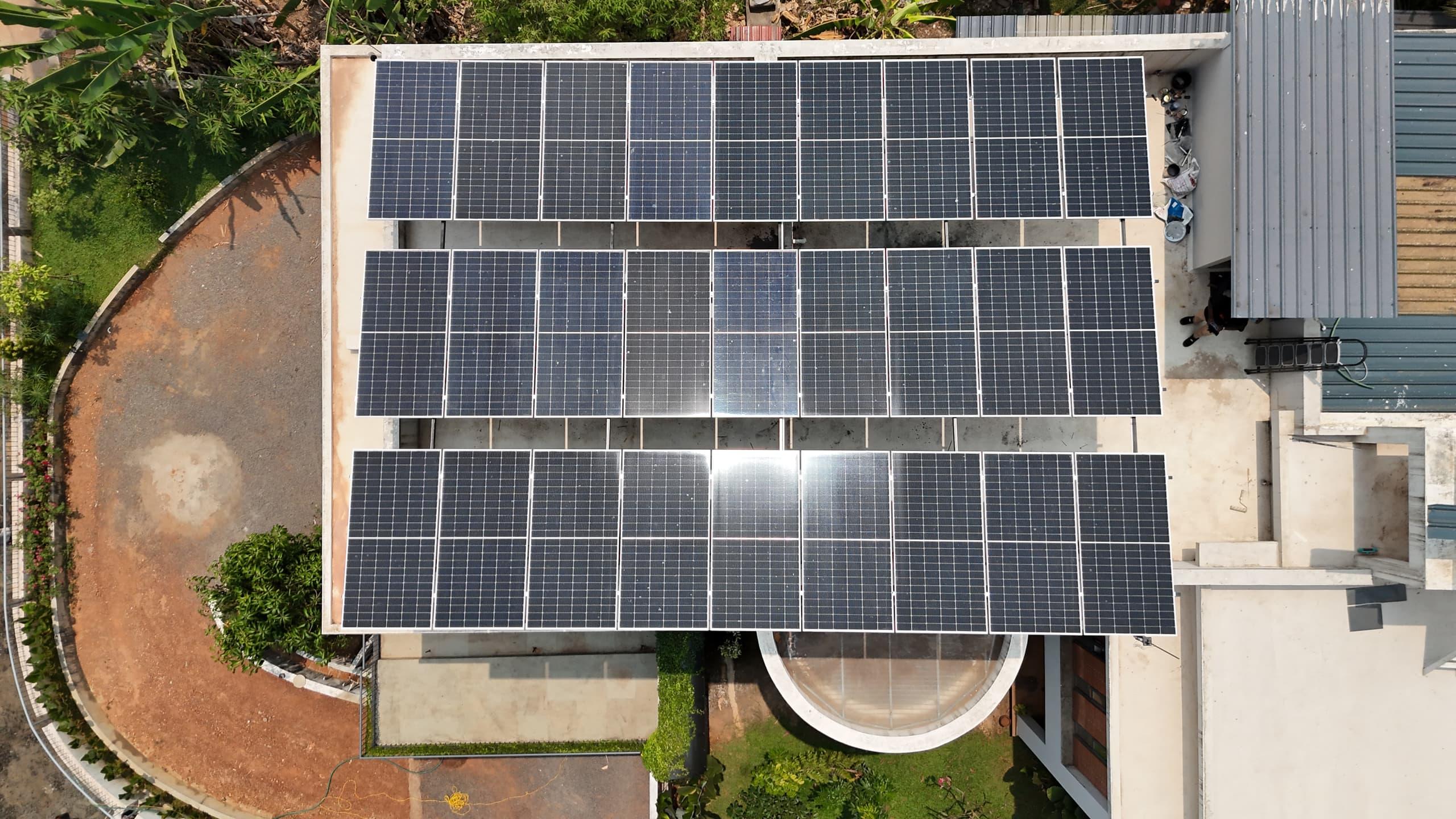


An on-grid solar system that has quietly stopped costs you about 12 units a day on a 3 kW plant, and nothing in the house tells you. The lights stay on, because KSEB is still there. The only signs are at the meter box and the inverter, and most owners have never been shown how to read them. This is the check we teach every customer at handover, in the order we do it ourselves.
One thing to understand first. An on-grid system does not connect into your house wiring or your distribution board. It connects in parallel at the meter. Power from the roof goes to the meter point, your house draws what it needs, and the surplus flows out to KSEB. So everything worth checking lives at two places: the meter box, and the pair of boxes beside the inverter.
Step 1: the two meters, and the isolator between them
At the meter box you will find two meters. The lower one, marked KSEB, is the net meter, the bidirectional meter that KSEB bills from. The one above it is the generation meter, a tested meter fitted by your installer that records only what the solar plant produces. KSEB reads both.
Next to them is an isolator. The KSEB line comes into the isolator first, then to the meters, then on to the solar system. If that isolator has tripped, both displays go dark and the inverter has no grid to lock on to. So the first check is the simplest: are the meter displays lit? If they are, the line is present. If they are dark, the isolator is off. Switching it back on is the one thing at the meter you may do yourself, and only if the reason it tripped is obvious, such as a storm the night before. If it trips again, stop and call your installer.
Step 2: the AC box beside the inverter
Beside the inverter are two boxes, and they are labelled: ACDB and DCDB. The ACDB carries the grid side. Inside it is an MCB, and if that MCB is off, the inverter cannot see the grid and will not generate, even though the meter box downstairs is lit and happy.
You can tell this state from the inverter display. It shows a PV voltage, because the panels are fine, but grid voltage reads zero, and an alarm code appears, on many inverters something like F35, meaning AC utility or grid supply lost. Turn the ACDB MCB on and the inverter does not reconnect at once: every grid-tied inverter waits about 60 seconds to confirm the grid is stable before it starts exporting. Give it a minute before you decide it is still broken.
The AC side can trip for reasons that have nothing to do with a fault in your system: an over-voltage on the KSEB line, or a lightning spike nearby. Resetting it once is fine. Resetting it every week means something upstream needs looking at.
Step 3: the DC box, which you do not touch
The DCDB carries the panel side, and on a string system that is several hundred volts of direct current. It is designed to trip only when the inverter itself reports a fault, so a tripped DCDB is a message that a technician needs to see, not a switch to flick back. Leave it to your installer. This is the one rule in this article with no exceptions.
While you are at the boxes, look for the small surge protection devices, the SPDs, in each one. They have a coloured window. Green means they are healthy. Red means the device has absorbed a surge and needs replacing. The system will keep running with a red SPD, but the inverter is unprotected against the next lightning season, and in Kerala there is always a next lightning season. Replacement is an installer job.
Step 4: the blink that settles it
Meters lit, both MCBs on, inverter display showing generation. Still not sure? Look at the generation meter. It has a small red LED that pulses every time a unit of energy passes through it. In strong midday sun it blinks quickly; on a rainy afternoon it slows right down. If it is blinking at all, your roof is producing. Do not confirm from the net meter alone, because the net meter also pulses when you are drawing from KSEB. The generation meter only counts solar.
If your inverter is connected to the internet, all of this is easier still. Growatt, Sofar, Deye, Microtek and almost every brand sold in Kerala has a monitoring app, and a system on WiFi or 4G shows you a live generation graph from anywhere. We watch our customers' systems through the same portals, which is how we often know a site has gone down before the owner does. If your system was installed without monitoring, ask for it; a datalogger is a small addition.
What a working system should be producing
Working is not the same as working well. A 3 kW system in Kerala should be generating roughly 300 to 360 units a month averaged across the year, more in February to April, less in July. KSEB records your generation meter reading on every bill, so the check is arithmetic: this month's generation reading minus last month's, compared with what the plant size should give. If a 3 kW plant is logging 200 units in a dry month, something is wrong even though every light is green, and the usual culprits are shading that has grown since installation, dirty panels, or a string that has gone open.
Two more things owners get wrong. First, a solar bill is not automatically a zero bill. Your bill depends on how much you use at night against what you banked in the day, plus fixed charges and meter rent; a healthy system with a non-zero bill is normal. Second, when the KSEB reader comes, it is worth glancing at what they note down. Readings are occasionally mis-entered, and the generation figure on your bill is your evidence if a dispute ever comes up.
The whole check, in order
Meter box lit? If not, the isolator is off. ACDB MCB on? If not, switch it on and wait 60 seconds. Inverter display showing PV and grid voltage? Generation meter LED blinking? SPD windows green? If everything passes and the inverter still shows a fault, or if the DCDB has tripped, call your installer that day rather than next week: a system down over a weekend is 30 to 40 units gone.
Do the switching with someone who knows electrical work if you are not confident, and never open a meter or a DB to poke around inside. The checks above are all things you can see from the outside of the boxes. That is deliberate. Every SEDNA installation includes this walkthrough at handover, and if yours did not, ask us for it.
Your roof, next
Want these numbers for your own house?
A free one-hour roof survey by a SEDNA engineer. Honest size, subsidy filed, quote in writing.
- 4.9 on Google
- 2,500+ installations
- MNRE-approved
- Since 2009